Get the sq447 app and skip the browser
One file, 58 MB, no store queue and no waiting for a link to load. The sq447 app puts your balance, the game lobby and the cashier on one screen, and it runs on the Android phone already in your pocket.
Reading this on a laptop? Scroll to the download panel and scan the QR code with your phone camera, or open sq447.lat/sq447-app/ in the phone browser and pull the same file from there.
- Version
- 2.3.7
- File
- sq447.apk
- Size
- 58 MB
- Android
- 6.0 and newer
- Cost
- Free
This build
Contents
What the phone build actually changes
It opens where you stopped
The app lands on the table or reel you closed last, so a short session on the bus does not begin with three taps through a menu.
The cashier sits in the same shell
bKash, Nagad, Rocket, Upay and bank transfer all open inside the app. Deposits usually clear within 5 minutes, and withdrawals take about 5 minutes once the cashier releases them.
58 MB is the whole install
Small enough to sit beside your other apps on a 32 GB phone, and light enough that the download finishes on a normal mobile connection without a Wi-Fi detour.
One account, two doors
Your sq447 login works on both the app and the website. The balance shown in the app is the same number the site shows, with no transfer step in between.
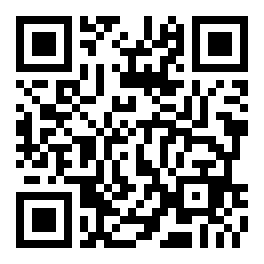 Scan with your phone camera
App or browser: pick by how you play
Both doors lead to the same account and the same balance. What differs is friction: how many taps stand between you and a table, and how much the page reloads each time you come back.
| Detail | sq447 app | Browser tab |
|---|---|---|
| Opening it | One tap on the home screen icon | Type the address, then sign in again |
| Lobby art | Stored on the phone after the first load | Reloads every time you switch back |
| Cashier | Wallets and bank transfer inside the app | Same wallets in one more tab |
| Space used | 58 MB plus cached artwork | Nothing kept on the device |
| Updates | You install a new build when one is published | Always the current version |
| Best for | Daily play on one Android phone | A quick check on a shared or borrowed device |
If your phone is the main place you play, the app wins on speed, and the download is the only cost. If you open the site twice a month on a laptop, stay in the browser and keep the storage.
Check these four things before you install
An APK bypasses the store, so the checking is yours to do. It takes about a minute and it is the difference between a clean install and a strange one.
Take the file from this page
The installer lives at sq447.lat/download/sq447.apk. Copies posted in group chats, comment threads or search ads can be repacked by someone else. If the file is not named sq447.apk, delete it and download again here.
Read the permission screen
Storage for the installer and cached art, plus network access for the lobby. A build that asks for SMS, contacts, call logs or accessibility control is not the one published here. Back out and remove it.
Keep your PIN inside the wallet
Deposits run through bKash, Nagad, Rocket, Upay or a bank transfer, and you approve each one yourself in that wallet. Nobody from sq447 needs your PIN, your one-time code or a photo of your balance.
Clear the old installers
Every download leaves a copy in the Downloads folder. Delete earlier builds once 2.3.7 is running: a leftover APK is the usual reason a later install ends with "App not installed" at the last second.
Counting the minutes from download to first round
Six nodes sit between a fresh phone and a live table. Four are yours to control, one waits on your wallet, and the last is instant. Here is what each one looks like on an ordinary Android handset.
| Stage | What you do | Where it can stall |
|---|---|---|
| 1. Check the handset | Confirm Android 6.0 or newer in Settings, then look at free storage. The installer needs 58 MB and a little room to unpack, so clear a photo folder if the phone is nearly full. | Storage warning before the file opens |
| 2. Pull the file on the phone itself | Tap the download button on this page from the phone you will play on. Moving an APK from a laptop by cable or chat app is where most broken copies start; the file should stay named sq447.apk. | Repacked copies from group chats |
| 3. Install and read the prompt | The permission list appears before the install finishes. Storage and network access are expected for a lobby app. A build asking for SMS, contacts or accessibility control is not the one published here, so cancel it. | Unknown sources still switched off |
| 4. Sign in or open an account | Existing players use the same details as the website. New players can register inside the app first. Either way the balance is shared, so nothing has to be moved between the app and the site. | A forgotten password, not a broken app |
| 5. Fund it from the cashier | bKash, Nagad, Rocket, Upay and bank transfer all sit inside the app. You approve the payment in the wallet itself and the balance usually shows within 5 minutes. Minimum deposit is ৳400. | A payment left pending in the wallet |
| 6. Take a first round | Pick a tile, read the RTP printed under the name, and start at the low end of the bet range. Withdrawal requests open once KYC is cleared, and approved ones reach the wallet in about 5 minutes. | KYC documents not sent yet |
Only one node is outside your hands: the wallet confirmation. If five minutes pass and the balance has not moved, open the bKash or Nagad message before retrying the payment. Most delays are a payment sitting pending, not a lost deposit.
The whole sequence usually fits in one sitting. The file downloads while you find your wallet app, and the account step takes less time than either. If the sign-in screen is where you stop, the sq447 login guide covers password resets and locked accounts.
Nothing in this sequence needs a second device, a code from a stranger or a screenshot of your balance. Anyone offering to walk you through the install for a fee is not part of sq447 support.
Set the phone up so the app stays quick
58 MB is small, but a phone is a crowded place. These five habits decide whether the app opens in a second or reloads the lobby every time you look at it.
App for the daily round, browser for a borrowed phone
After the first load, lobby art sits on the device, so a session on the bus starts almost at once. On a friend's handset or a shop phone, use the browser and log out afterwards rather than installing anything.
Spend your data on the first load
The 58 MB file is the biggest download you will make; the artwork after that is cached. Live dealer tables stream for as long as they are open, so keep those for Wi-Fi and play slots or fishing on metered data.
Leave a table before you switch apps
A live table holds your seat inside a video stream. Taking a call in the middle can drop you out of the round, and a fishing session can time out. Close the table first, then answer.
Turn notifications into a tool
Deposit and withdrawal confirmations are worth keeping on. Marketing alerts are not, and they arrive at midnight as often as at noon. Set them inside the app, then check the phone's own notification list agrees.
Keep a little storage in reserve
A full phone is the usual reason an install ends with an error code instead of a message. Leave roughly one app's worth of free space, delete old APK copies from Downloads, and the next build goes through cleanly.
Update the way you installed
New builds arrive as a fresh APK, not through the Play Store. Version 2.3.7 was published on 10 November 2026 and installs straight over an older copy: your login and balance survive, and cached artwork rebuilds on the next open.
Only delete the app first if an install refuses to replace the old one. Removing it clears cached artwork and any saved preferences, but the account, balance and history all live on the server, so a reinstall brings them back after one sign-in.
Heat matters on long sessions. Live tables and a bright screen drain a battery quickly, so plug in before a cricket match rather than halfway through it, and lower the brightness instead of closing the app and reloading the lobby. For a quiet look at the tables before you play, the casino overview lists what sits behind each tile.
Download the sq447 App for Android
-
Opens where you stopped
The app restores the last table or reel you had open, so a quick session on the commute picks up in one tap.
-
Cashier built into the shell
bKash, Nagad, Rocket, Upay and bank transfer all live inside the app. Deposits usually settle within 5 minutes.
-
58 MB, no Play Store queue
One APK file. Download it over mobile data, install in under a minute, and you are in the lobby. Version 2.3.7, Android 6.0+.
-
Same account on app and site
Your sq447 login, balance and bonus wallet are identical whether you use the app or the browser version.
Scan to download on your phone
Install the App in Five Steps
From the download tap to your first spin takes under two minutes on most Android phones. Here is the exact order.
-
Open the download link
Tap Download APK above, or open
sq447.lat/sq447-app/in your phone browser. The file is named sq447.apk and weighs 58 MB — a normal mobile connection finishes it in about 30 seconds. -
Allow installs from this source
Android will ask permission the first time. Go to Settings → Apps → Special app access → Install unknown apps, find your browser, and flip the toggle. You only need to do this once.
-
Run the APK installer
Pull down the notification shade and tap the downloaded file, or find it in your Downloads folder. Tap Install when prompted. The process takes under 20 seconds.
-
Log in or register your account
Open the app and tap Log In if you already have an sq447 account. New player? Tap Register — the form takes about 90 seconds to complete, and your welcome bonus is applied automatically on your first deposit.
-
Deposit and start playing
Tap Cashier → Deposit, choose bKash, Nagad, Rocket, Upay or bank transfer, and enter an amount from ৳400. Most deposits clear within 5 minutes. The game lobby opens the moment the balance updates.
Is the APK file safe to install?
Yes. The file at sq447.lat/download/sq447.apk is the same build served from our own server — not a third-party mirror. Android flags APKs from outside the Play Store as a precaution, which is why it asks for the "install unknown apps" permission. That permission only covers files you explicitly download; it does not give any app blanket access to your device.
Does the sq447 app work on iPhone or iPad?
The current APK is Android-only. iOS users can open sq447.lat in Safari — the mobile site gives you the same lobby, cashier and bonus wallet without any install step. We will announce an iOS build when it is ready.
How much phone storage does the app need?
The APK itself is 58 MB. After install, the app occupies roughly 80–90 MB including cached game assets. That fits comfortably on a 32 GB phone alongside your other apps. If storage gets tight, clearing the app cache (not data) in Android settings recovers most of that space without touching your account.
Can I use my existing sq447 account in the app?
Yes. Your username, password, balance and active bonuses all carry over. Open the app, tap Log In, enter your credentials, and you are in. There is no separate app account or second registration required.
Can I be logged in on two devices at the same time?
Your account allows one active session at a time. Opening the app on a second device will sign out the first. If you switch between phone and laptop regularly, the fastest way is to stay logged in on the device you use most and log in manually on the other when needed.
Can I deposit with bKash directly inside the app?
Yes. Tap Cashier → Deposit and select bKash, Nagad, Rocket, Upay or bank transfer. The payment sheet opens inside the app — you do not need to switch to a browser or a separate banking app. The minimum deposit is ৳400 and most transactions clear within 5 minutes.
How long do withdrawals take when made from the app?
Withdrawal processing is the same regardless of whether you use the app or the website. Once the cashier releases the payment — typically within 5 minutes for verified accounts — the funds arrive in your bKash or Nagad wallet within minutes. The minimum withdrawal amount is ৳1,400 and the daily limit is ৳2,00,000. First-time withdrawals may take up to 2 hours while KYC is confirmed.
How do I update the app to a newer version?
When a new build is published, a banner appears inside the app with a direct download link. You can also revisit this page and tap Download APK again — the installer will overwrite the old version and keep your account data intact. No uninstall is needed.
Which version of the app is current?
The latest release is Version 2.3.7, updated on 10 November 2026. It requires Android 6.0 or newer and is free to download. If the version shown in your app's settings menu is older, use the update steps above to get the newest build.